



Troubleshooting Common CI Flexo Printing Machine Issues
Introdução
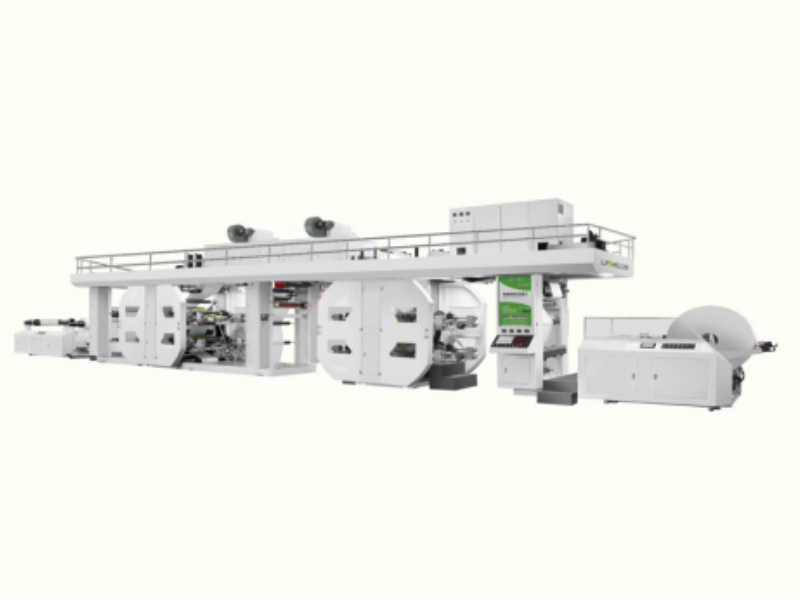
CI flexo printing, with its versatility, high speed, and ability to print on a variety of substrates, has become a core technology in modern packaging and label production. Its central impression cylinder design provides consistent print quality in high-volume production. However, even the most reliable CI type flexo printing machine can experience operational malfunctions that impact production, reduce print quality, or cause sudden shutdowns.
Whether you operate a single máquina de impressão flexográfica or own multiple Máquinas de impressão flexográfica CI, mastering the diagnosis and solutions for common malfunctions is crucial for maintaining production efficiency and meeting quality standards. This article will detail five common malfunctions of CI flexo printing equipment, their root causes, step-by-step troubleshooting plans, and preventative measures to ensure smooth operation of your equipment.
5 Common CI Flexo Printing Machine Issues

Registration Errors: Misaligned Colors or Images
Common Causes
The unstable tension of the material belt causes the substrate to shift;
Improper calibration of the overprint control system can further exacerbate misalignment issues;
Wear or damage to the printing press impression cylinder can cause inconsistent rotation;
Unstable paper feed speed or tension can cause material to shift between printing units;
Improper installation of printing plates or wear of plate sleeves can cause displacement during production, resulting in color misalignment;
The pressure setting of the mesh roller is incorrect;
Uneven thickness or abnormal moisture content of the substrate;
Changes in ambient temperature cause thermal expansion and contraction of the substrate.
Troubleshooting Steps
First, check the printing plate installation to ensure it is evenly and firmly fixed to the cylinder. Use the registration marks on the printing plate to check the alignment.
Second, check the paper feed control of the máquina de impressão flexográfica. Adjust the tension parameters to ensure a stable and consistent paper feed path for the substrate across all printing units.
Then, calibrate the registration system through the equipment control panel, fine-tuning the horizontal and vertical alignment accuracy of each color unit.
Next, check the mechanical components, inspecting gears, bearings, and drive belts for wear and looseness. Replace any faulty parts immediately.
Finally, stabilize the production environment’s temperature and humidity to prevent substrate displacement due to environmental changes.
Preventive Measures
Use precision installation tools and repeatedly check accuracy before production.
Incorporate the calibration of the Máquinas de impressão flexográfica CI‘ registration system into the maintenance process.
Select a high-quality paper feed control system to ensure stable substrate operation and replace worn mechanical parts in advance.
Monitor the printing workshop environmental conditions and select low-hygroscopic substrates to reduce displacement caused by thermal expansion and contraction.
Web Breaks: Sudden Substrate Tears
Common Causes
Paper breaks on Máquinas de impressão flexográfica CI are often caused by excessive paper feed force, stretching thin and brittle substrates to the breakage point;
Weared or damaged rollers can create snagging points or uneven pressure, tearing the substrate;
Dust, ink residue, and adhesive buildup on the paper feed path can snag the substrate, causing tearing;
Improper substrate winding creates weak points that break under tension;
Quality issues with the substrate itself, such as thin spots, tears, or uneven thickness, can also lead to frequent paper breaks.
Troubleshooting Steps
First, reduce the paper feed force of the Máquina de impressão flexográfica CI to a level that stabilizes the substrate without excessive stretching.
Inspect all rollers along the paper feed path: clean the rollers of ink and impurities, and immediately replace any worn, cracked, or damaged rollers.
Inspect the substrate joints, ensuring they are strong, smooth, and free of rough edges catching on the rollers.
Inspect the substrate rolls to be printed, removing any rolls with obvious tears, thin spots, or damage.
If paper breaks persist, adjust the guide roller positions to ensure a straight and smooth paper feed path within the printing press.
Preventive Measures
Set the optimal tension based on the type of substrate: thin materials such as films can only withstand low tension, while hard materials can withstand slightly higher tension.
Establish a daily cleaning process to remove pollutants.
Use high-quality paper bonding tape and paper bonding process to create a firm and smooth joint, and inspect the substrate roll for defects before machine operation.
Install a paper guiding device and tension sensor to automatically adjust the tension and avoid paper breakage caused by sudden tension changes.
Ink Misting: Tiny Ink Droplets on Substrate
Common Causes
If the speed of the mesh roller is too high, the ink will be thrown out before transferring to the printing plate;
Ink viscosity is too low, making it easy to scatter during printing;
Uneven mixing of ink can lead to delamination and splashing of ink droplets;
Excessive ink supply to the mesh roller can cause ink accumulation;
Wear or improper tension of the ink scraper may prevent excess ink from being scraped off the mesh roller;
Poor ink circulation and mixing of bubbles;
Poor ventilation in the workshop can cause ink mist to accumulate and settle on the substrate.
Troubleshooting Steps
First, reduce the anilox roller speed of the Máquina de impressão flexográfica CI to balance printing speed and ink control.
Adjust the ink viscosity to a range suitable for the substrate and printing speed by adding thickeners or reducing solvent addition.
Inspect and replace worn doctor blades, ensuring they are properly installed and making uniform contact with the anilox roller.
Optimize ink circulation and agitation to prevent ink separation.
Improve ventilation in the printing workshop to remove airborne ink mist.
If the scattering problem persists, switch to a high-viscosity ink formulation suitable for high-speed impressão flexográfica.
Preventive Measures
Avoid operating at the highest printing speed with low-viscosity inks.
Use high-quality doctor blades and replace them regularly, incorporating this into the equipment maintenance process.
Monitor and adjust ink viscosity throughout production to maintain stability.
Install a high-efficiency ventilation system in the printing workshop.
Use ink formulations specifically designed for CI flexo printing.
Anilox Roll Clogging: Reduced Ink Transfer
Common Causes
Incomplete cleaning of the anilox roller after production is the primary cause of anilox roller clogging in CI flexo printing.
Dried ink and pigment particles gradually harden in the cells, hindering ink adsorption;
Using incompatible inks or cleaning solutions can trigger chemical reactions and leave residues;
Weared doctor blades cannot remove excess ink, leading to ink buildup;
High pigment content or large-particle inks are more prone to clogging the cells;
Insufficient maintenance of the ink filtration system allows contaminants to enter the anilox roller.
Troubleshooting Steps
Immediately stop the machine and use specialized cleaning solution to clean the clogged mesh roller.
Use ultrasonic cleaning or a brush to clean the dry ink on the mesh wall. Do not use a hard brush head to prevent damage to the surface of the mesh roller.
Replace worn or damaged blades to ensure effective ink scraping.
Check the ink filtration system, replace the filter element, and remove contaminants from the ink.
Preventive Measures
Clean the mesh roller immediately after printing to prevent ink clumping that is difficult to remove.
Use compatible ink and cleaning solution, thoroughly rinse the equipment before changing ink types.
Install an efficient ink filtration system to remove contaminants before they reach the mesh roller.
Choose a mesh roller mesh hole structure that is compatible with the ink type to reduce the risk of clogging.
Uneven Color Density: Patchy or Faded Prints
Common Causes
Blockage or wear of the mesh roller can cause uneven ink transfer, leading to color mottled;
Fluctuations in ink viscosity can cause uneven color density;
Uneven thickness or surface texture of the substrate can lead to differences in ink absorption;
Uneven distribution of roller pressure can cause uneven ink coverage;
Hot spots in the drying oven can cause ink to fly after printing.
Troubleshooting Steps
Check if the mesh roller is clogged or worn, and clean or replace it if necessary.
Adjust the embossing pressure parameters and calibrate the pressure of the entire roll width with a pressure gauge to ensure uniform contact between each roller.
Check and adjust the ink viscosity to maintain a stable state.
Replace cracked, worn, or improperly installed printing plates.
Ensure that the substrate is flat and uniform, and remove any defective rolls on the surface.
Preventive Measures
Regularly inspect and maintain the anilox rollers and printing plates, replacing them promptly before they affect printing quality.
Calibrate the printing pressure of the impressão flexográfica before each production run, and select high-quality substrates with consistent thickness and surface properties.
Continuously monitor ink viscosity throughout the production process and adjust it as needed.
Conclusão
The key to efficient troubleshooting of Máquinas de impressão flexográfica CI lies in accurately identifying the root cause and resolving it quickly. Addressing these common problems through structured steps significantly reduces downtime and wasted time. Daily checks, weekly inspections, and regular calibrations ensure stable operation of the máquina de impressão flexográfica and consistent print quality. For packaging companies, investing in operator training and proactive maintenance of impressão flexográfica is the most effective way to guarantee both production capacity and quality.
Perguntas frequentes
Q1: How often should the anilox roller on a CI flexo printing be cleaned?
A1: Clean after each production run. After high-intensity use, perform a deep clean every 2-4 weeks.
Q2: What is the optimal tension for thin films on a CI flexo printing?
UM2: 10-15% lower than paper tension, following the substrate manufacturer’s recommendations.
Q3: Can I clean a CI flexo printing with any solvent?
UM3: No, you must use the solvent recommended by the manufacturer to avoid damaging the anilox roller and printing plate.
Q4: How to reduce ink splatter in high-speed flexo printing?
UM4: Reduce the anilox roller speed, adjust the viscosity, and ensure proper doctor blade tension.
Q5: When should the printing plates on a flexo printing press be replaced?
UM5: Replace them immediately when signs of wear appear, or after 500,000-1,000,000 print runs.


