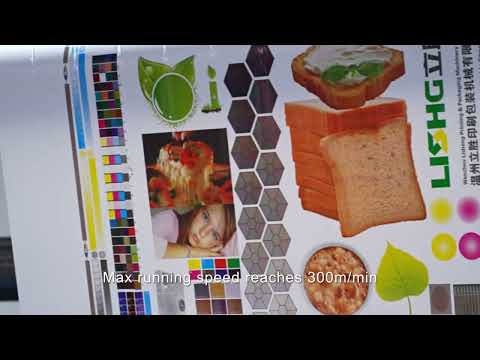
What to record while you watch
Treat every LISHG machine video as a field notebook, not only a marketing clip. Pause on web path, impression nips, dryer entry, and rewind build so you can compare the recording to the specification sheet before you request a quotation.
Write down substrate family (film, paper, board, foil), approximate web width, color deck count visible in frame, and whether the line is CI or stack. Those four notes alone filter unsuitable series before a sales call.
- Substrate and laminate structure visible at unwind.
- Print speed cues: dancer motion, rewind RPM feel, operator posture at steady state.
- Tension zones: unwind brake behavior, infeed nip, outfeed / rewind taper.
- Register: lateral and circumferential correction activity on thin film.
- Dryer / curing: air volume noise, lamp or nozzle layout, chill roll condensation.
- Changeover clues: sleeve carts, anilox handling, wash-up access.
Speed, tension, and web handling checkpoints
Saleable print speed is rarely the peak mechanical number on a nameplate. Watch whether the web looks calm at the claimed demo speed—edge weave, spill at the impression, or frantic dancer motion are signs the demo is near a limit, not a comfortable production set-point.
Tension should look progressive and boring: stable unwind, controlled infeed, predictable rewind build without telescoping. Sudden tension spikes on splices or thin BOPP are worth timestamping so engineers can discuss taper recipes and core quality with you.
For CI presses, note how the web wraps the central impression drum and whether station engagement looks synchronized. For stack presses, note accessibility between colors and how operators clear wrap-ups—those motions predict real changeover time better than brochure seconds.
Ink, anilox, and impression clues
When the camera shows decks, observe chambered blades versus open fountains, and whether anilox sleeves are being handled as quick-change components. Heavy solid laydown with dirty highlights in the same job usually means the anilox inventory is compromised—ask which volumes were mounted for the recording.
Impression should look even across the web with no bounce at the demo speed. Listen for gear or servo noise changes when stations engage; modern gearless CI demos should sound continuous rather than clunky at register moves.
How to turn video notes into an RFQ
Attach timestamps and your observation list to the inquiry: substrate, target speed, width, colors, and any concern about dryer or tension. Link the product page for the machine shown when the model is identified on the detail page.
Cross-check capacity and ROI calculators with the speed you believe the video actually sustains—not the highest number mentioned in narration. Then run the product selector with the same substrate and quality intent so commercial and engineering threads stay aligned.