
How Food Packaging Converters Print PE and PET Film on CI Flexo Presses: A Production Guide
Most film printing problems don't start at the press. They start at the loading dock, or at the tension roller, or at the dryer setting nobody checked after the last job change.
This guide walks through the actual production flow for PE and PET film on a CI flexo press — from incoming material inspection to finished roll handling — and explains where the common problems occur and how to address them.
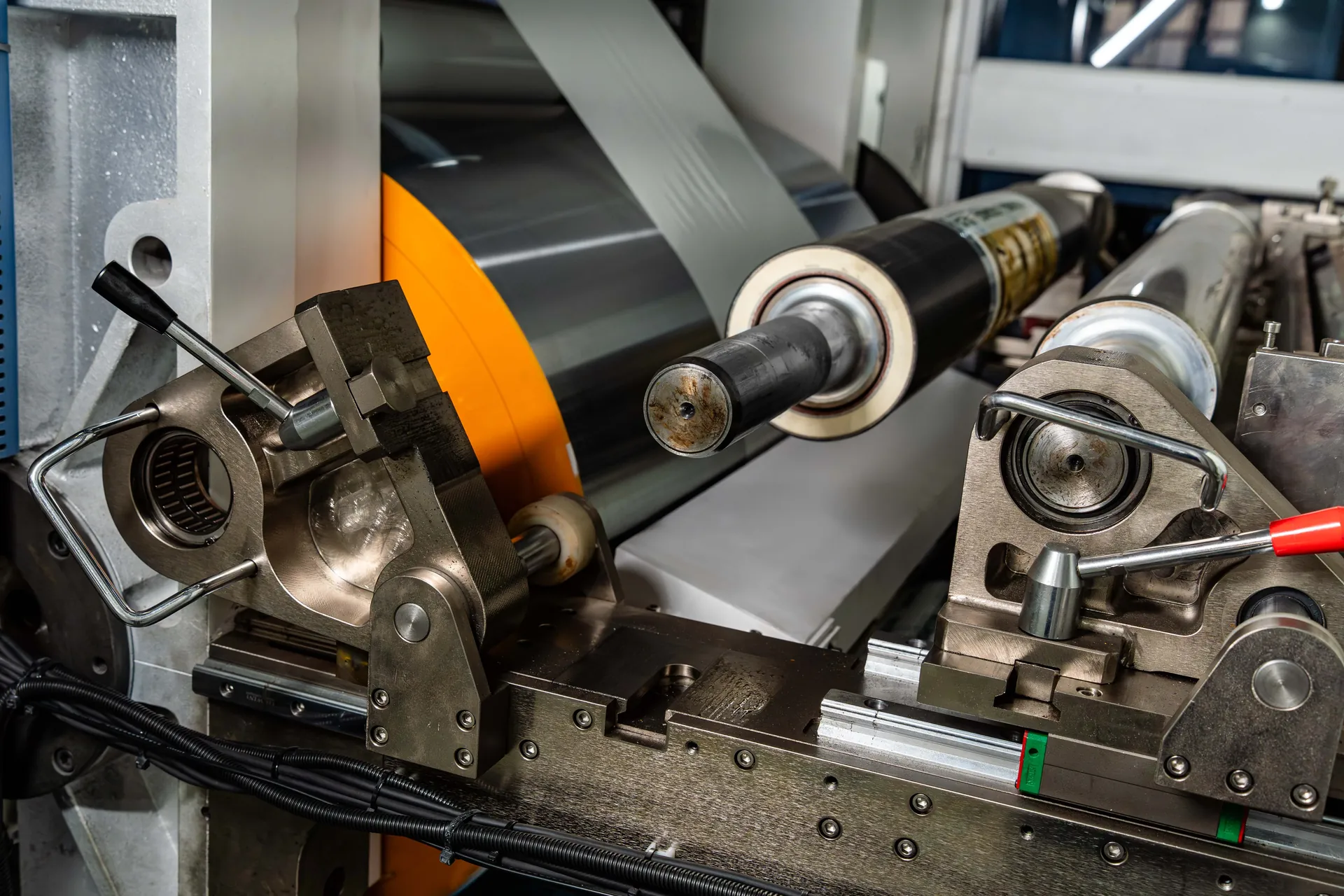
Incoming Film Inspection
Thickness, dyne level, slip additive, roll hardness, and splice quality determine whether the film will run consistently. A lot of production problems trace back here.
Press Setup
Tension profile must match the film type — PE typically needs a tapered profile, PET is more forgiving. Surface treatment requirements should be confirmed against the ink system.
Printing & Drying
Ink viscosity, impression pressure, and dryer settings must match the film and ink system. A tape test at the start of each run verifies ink adhesion and drying.
Roll Handling & Storage
Rewind quality and storage conditions affect downstream lamination and bag-making. Soft rolls and misaligned edges cause problems long after the press has finished.
Before the Press Starts: Incoming Film Inspection
One of the most common causes of production problems on film is variation in the incoming material. PE and PET film from different suppliers — or even different batches from the same supplier — can vary in thickness, slip additive content, surface energy, and roll hardness. A press that runs cleanly on one roll can produce register drift and ink adhesion problems on the next.
| Check Item | Why It Matters | Typical Method |
|---|---|---|
| Thickness variation | Affects tension profile and register stability | Micrometer measurement across web width |
| Surface energy (dyne level) | Determines ink adhesion and whether surface treatment is required | Dyne pen test |
| Slip additive content | Affects coefficient of friction and web tracking | Supplier specification review |
| Roll hardness | Inconsistent hardness causes tension variation during unwind | Roll hardness tester or manual check |
| Web width tolerance | Width variation shifts register mark position | Tape measure at multiple points |
| Splice quality | Poor splices cause tension spikes and register jumps | Visual inspection of splice |
For PE film, surface energy is a critical incoming variable. PE naturally has low surface energy (typically around 31 dynes/cm), which is below the level required for reliable ink adhesion. PET has higher natural surface energy (around 42-44 dynes/cm), so it may require less surface preparation. If incoming film measures below the adhesion threshold for the ink system, the required treatment level should be confirmed with the supplier before production.
If the film varies widely from roll to roll, surface treatment adjustment alone may not compensate. In that case, the material may need to be rejected, or the supplier may need to tighten their specification.
Setting Up the Press for Film: Tension Control
PE film stretches. PET film stretches less but still responds to tension variation. On a CI press, the web must be held at consistent tension from the unwind through the print stations to the rewind. If tension varies, the film elongates or contracts, and the printed image shifts relative to the register mark.
The CI drum itself provides a stable reference surface for the portion of the web in contact with it. But the web between the unwind and the first print station, and between the last print station and the rewind, is not supported by the drum. Tension in these unsupported sections directly affects register.
Tension settings that matter:
- Unwind tension: Set to match the film's thickness and width. Too high causes stretching; too low causes slack and web weave.
- Infeed tension: The tension between the unwind and the first print station. This is a frequent source of tension-induced register errors.
- Outfeed tension: The tension between the last print station and the rewind. This affects the final register before the ink sets.
- Rewind tension: Set to produce a firm roll without crushing the film or causing telescoping.
For PE film, the tension profile should typically be tapered — higher tension at the core, lower tension at the outer layers. For PET film, a more constant tension profile is usually acceptable. The exact settings depend on the film specification and the press configuration, and should be confirmed with the equipment supplier for the specific production setup.
The Printing Process: What Happens at Each Station
Ink adhesion: the first quality gate
Once the film enters the first print station, ink transfer depends on three factors: surface energy, ink viscosity, and impression pressure.
Ink viscosity is measured with a Zahn cup (typically #2 or #3 for film printing). Viscosity changes with temperature and solvent evaporation, so it should be checked periodically during the run. If viscosity is too high, ink transfer is incomplete and the print appears weak. If viscosity is too low, the ink may spread and lose definition.
Impression pressure controls how the plate contacts the substrate. On film, excessive pressure causes dot gain and can damage the plate. Insufficient pressure causes incomplete ink transfer. The target pressure is the minimum required to achieve full ink transfer — not more.
A production problem to watch for: If the first color prints well but subsequent colors appear weaker, the issue may not be the ink or the plate. It may be that the surface treatment effect is decaying as the web travels through the press. On some films, treatment effect fades over time — particularly if the film is exposed to heat from the dryers. If this occurs, the treatment level may need to be increased, or the treatment position may need adjustment. This should be discussed with the equipment supplier.
Register control: maintaining color alignment
Register on film is maintained by the camera-based register system, which reads register marks printed on the web and corrects deviations. But the register system can only correct deviations that it can detect. If the register mark is poorly printed or the film is stretching between the mark and the print station, the correction may be chasing a moving target.
Common register problems on film:
| Problem | Likely Cause | What to Check |
|---|---|---|
| Register drifts gradually in one direction | Tension imbalance between unwind and infeed | Unwind tension, infeed tension, dancer response |
| Register oscillates | Tension variation or web weave | Roll hardness, web width variation, tension feedback |
| Register correct at low speed but drifts at high speed | Film stretching due to tension increase at speed | Tension profile, surface treatment consistency |
| Register correct on one side, off on the other | Web width variation or uneven tension across width | Film roll quality, tension roller alignment |
| Register shifts after roll change | Tension spike during splice or roll change | Splice quality, roll change procedure |
The camera register system on the Apex Series is designed to handle the normal range of film tension variation. But if the incoming film varies beyond the system's correction range, the operator should address the material issue before the press can maintain register.
Drying and Ink Setting: The Often-Overlooked Step
Film printing uses either water-based or solvent-based inks, depending on the application and the buyer's requirements. Water-based inks are increasingly common for food packaging, but they require more drying energy than solvent-based inks. The dryer capacity on the press must be matched to the ink system and the line speed.
Drying problems on film:
- Insufficient drying at high speed: If the dryer cannot remove all solvent at production speed, the ink may set on the surface but remain wet underneath. This causes blocking (ink transferring to the back of the film in the rewind) or poor adhesion in the lamination process.
- Over-drying: Excessive heat can cause the film to shrink or distort, which affects register and print quality. It can also cause the ink to become brittle and crack.
- Residual solvent: For food packaging, residual solvent in the ink layer is a food safety concern. The dryer must remove solvent to below the required threshold.
The drying system should be set to match the ink system and line speed. For food packaging applications, the operator should verify that the dryer settings achieve both complete ink setting and solvent removal.
A practical check: After the last print station, perform a tape test on the printed film. Apply tape to the print, press firmly, and remove quickly. If ink transfers to the tape, the ink is not fully set or the adhesion is insufficient. This test should be performed at the start of each production run and periodically during the run.
After Printing: Roll Handling and Storage
The printed film roll must be handled carefully to avoid damage before it reaches the lamination or bag-making process. Poorly wound rolls can cause register problems in downstream processes, and surface damage can cause print defects.
| Check | What to Look For | Impact if Neglected |
|---|---|---|
| Roll hardness | Firm but not crushed; consistent across width | Soft rolls cause telescoping and register problems downstream |
| Edge alignment | Clean edges; no protruding layers | Misaligned edges cause web weave in downstream processes |
| Surface defects | No scratches, blocking, or ink transfer | Surface defects cause print rejects |
| Roll diameter | Within the range specified for downstream equipment | Out-of-range rolls cause handling problems |
For food packaging film, the printed rolls should be stored in a controlled environment before lamination. Temperature and humidity variation can cause the film to expand or contract, which affects register in the downstream process.
Common Production Problems and Solutions
| Problem | Symptom | Root Cause | Solution |
|---|---|---|---|
| Ink adhesion failure | Ink peels off after tape test | Insufficient surface treatment or incorrect dyne level | Verify dyne level at production speed; adjust treatment level |
| Register drift at speed | Register correct at low speed, drifts at high speed | Film stretching due to tension increase | Adjust tension profile; verify treatment consistency at speed |
| Blocking in rewind | Ink transfers to back of film | Insufficient drying or excessive rewind tension | Increase dryer temperature or air velocity; reduce rewind tension |
| Web weave | Film moves side-to-side in print stations | Uneven tension across web width or poor roll quality | Check film roll quality; adjust tension rollers |
| Print mottling | Uneven ink coverage | Ink viscosity too high or impression pressure too low | Adjust ink viscosity; increase impression pressure |
| Plate damage | Print defects appear suddenly | Excessive impression pressure or foreign object in nip | Reduce pressure; inspect plate and anilox roller |
Working With the Press Manufacturer on Film Applications
The press manufacturer's engineering team can provide specific guidance on film applications based on the substrate, ink system, and production requirements. When discussing a film application with the manufacturer, provide:
- Film type and thickness range: PE, PET, BOPP, or other; thickness in microns
- Surface treatment status: Is the film pre-treated by the supplier, or does it require inline treatment?
- Ink system: Water-based, solvent-based, or UV; target viscosity and drying requirements
- Print design: Color count, coverage, and register tolerance
- Line speed target: Production speed and any speed variation during the run
- Downstream process: Lamination, bag-making, or other; any specific requirements for the printed roll
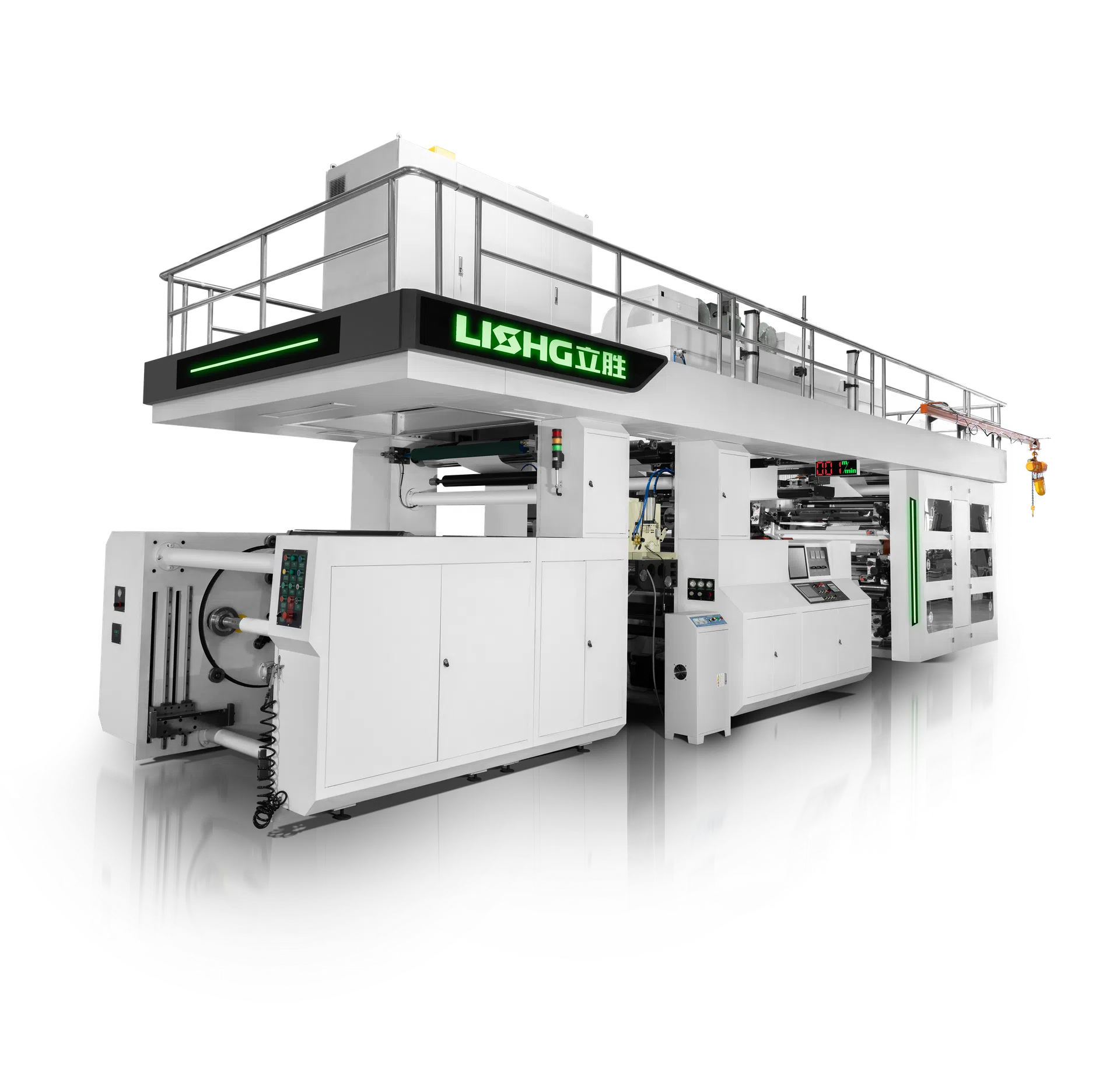
This information allows the manufacturer to recommend the appropriate press configuration. The Apex Series 6 Color CI Flexo Press for Flexible Packaging is specified for PE, PET, BOPP, PVC, and Nylon films, with web widths from 600 mm to 1600 mm depending on the model. The specific configuration for a food packaging application should be confirmed with the technical team based on the actual production requirements.
Frequently Asked Questions
What dyne level should PE film have before printing on a CI flexo press?
PE film should typically be treated to a dyne level of 38-42 dynes/cm for reliable ink adhesion with water-based or solvent-based inks. The dyne level should be measured at production speed, because the treatment effect decreases as line speed increases.
Why does register drift when I increase line speed?
Register drift at higher speed is usually caused by film stretching. As speed increases, tension in the unsupported web sections increases, which stretches the film. The tension profile may need adjustment. Check the tension settings first.
What causes ink to transfer to the back of the film in the rewind?
Ink transfer (blocking) is usually caused by insufficient drying or excessive rewind tension. Verify that the dryer is removing all solvent at the production speed, and reduce rewind tension if the roll is too tight.
Can PE and PET film be printed on the same press without changing the setup?
Both PE and PET can be printed on the same CI flexo press, but the settings may differ. PET has higher natural surface energy, so it may require less surface preparation. The tension profile may also differ because PET is less stretchable than PE. The operator should verify the settings for each substrate before production.
How often should the register cameras be cleaned when printing film?
Film generates less dust and debris than paper or woven PP, so camera cleaning may be less frequent. A weekly cleaning schedule is typical, but the actual frequency depends on the film and the factory environment. If register errors increase, check the camera lens first.
What is the minimum order for a customized press configuration?
Machine configurations are developed around the project requirements. For 4-color and above configurations, the press is typically built to order based on the substrate, print width, color count, and production target. Specific minimum requirements should be confirmed with the sales engineering team.
Film Printing Is a Process, Not Just a Press
Printing PE and PET film for food packaging on a CI flexo press is a production process that depends on material consistency, tension management, ink control, and drying. The press itself is only one part of the system — the incoming film quality, the ink system, and the operator's process control determine the final result.
The key production controls are: verify incoming film quality (thickness, dyne level, roll hardness), manage tension profile (especially for PE film), and verify ink drying (with a tape test at the start of each run).
When production problems occur, the root cause frequently traces back to material or process settings rather than the press alone. Working with the press manufacturer's engineering team — and providing complete information about the film, ink, and production requirements — is a practical way to develop a reliable film printing process. For more information on the Apex Series configuration for film applications, see the Apex Series 6 Color CI Flexo Press for Flexible Packaging or review the full Apex Series Servo Gear Driven CI Flexo Press product range.
Discuss Your Film Printing Requirements With Our Engineering Team
Share your film type, ink system, print design, and production target. The appropriate Apex Series configuration can then be discussed and developed around your actual film printing process.